Showing posts with label htc. Show all posts
Showing posts with label htc. Show all posts
Thursday, February 26, 2015
HTC Nexus 9 review
The Google Nexus 9 will be curiously gazed upon by both Nexus 7 and Nexus 10 owners, as HTC gets back on the roster to take over from Asus and Samsung. The 8.9" beauty is a return for HTC to both the Nexus family and the tablet realm in general. Almost five-years passed since HTC made the Google Nexus One, while its last tablet dates back to 2011.


Google Nexus 9 by HTC official photos
The HTC Nexus 9, like the Motorola Nexus 6, also marks a major shift in product strategy for Google. Unlike past Nexus tablets, which cut a few corners in order to keep the price super attractive, the latest iteration makes no compromises. The Nexus 9 is a bona fide powerhouse with highly capable hardware, premium build, and a brand new Android version to boot.
Key features
- Optional quad-band GSM, CDMA, penta-band HSPA, 4G LTE
- 64-bit Nvidia Tegra K1 chipset; 2.3GHz dual-core Denver CPU; Kepler DX1 GPU
- 8.9" QXGA (2048x1536 pixels) IPS display with 4:3 aspect ratio; Corning Gorilla Glass 3
- Android 5.0 Lollipop with material design; brand new ART runtime for improved performance and responsiveness
- 8MP f/2.4 camera with auto-focus and single LED flash; 1080p @30fps video capture
- 1.6MP f/2.4 front-facing unit with 720p video capture
- 16/32GB of built-in memory
- Wi-Fi a/b/g/n/ac; Bluetooth 4.1 with aptX; NFC; A-GPS; GLONASS; microUSB 2.0
- BoomSound front-facing stereo speakers; dual microphones
- 6,700mAh Li-Po battery
- Premium design and build; three available color options
Main disadvantages
- No memory card slot , doubling the built-in memory is Apple-like expensive , no 64GB memory option
- 3GB of RAM would have fitted the chipset better
- Some might find the new display ratio a tad awkward
Hardware-wise, the Nexus 9 leaves nothing to chance. Its Tegra K1 chipset is the most powerful silicon available for Android tablets. The 8.9" 4:3 QXGA display isnt too shabby either - its brand new ratio puts it squarely against the Apple iPad family, although the choice of size make sure it gets some room to breathe.
Design and build quality have been taken up a notch as well. The Nexus 9 looks and feels as premium as its specs suggest. Its three available colors, like the 4:3 display, are another subtle swing at Cupertino.
However, powerful hardware and premium design are only one part of the picture. The brand new Android 5.0 Lollipop is arguably the biggest piece of news about the Nexus 9. The latest OS build from the search giant brings fresh design, coupled with brand new ART runtime, which promises improved performance and responsiveness.


HTC Nexus 9 live photos
As always, we will kick the review off with unboxing of the Nexus 9, followed by design and build quality inspection.

Monday, January 26, 2015
HTC Windows Phone 8X Smartphone Reviews Specifications and Price

HTC Windows Phone 8X Smartphone Reviews, Specifications and Price, Microsoft wants to go new ways with its new operating system from Redmond. An OS for computers, tablets and smartphones alike. The Windows Phone 8X by HTC is one of the first smartphones that feature this new software and, in order to present it properly, it naturally needs exceptional hardware. The mix of an IPS touchscreen with a 720p resolution, a Snapdragon S4 SoC (system-on-a-chip) with a clock frequency of 1.5 GHz, 1 GB of working memory and an appealing casing design are to ensure the new operating systems successful kick-off. Other Windows Phone 8 contenders vying for the number one position in the high-end field are Nokias Lumia 920 and Samsungs Ativ S.
More interesting than the hardware inside HTCs 8X is certainly the completely new software. The metro design of the modern UI surface is known from the previous Windows Phone 7, but it has been completely refreshed. The home screen can be compared with widgets known from Android systems. Applications are continuously updated, are never idle and imply high dynamics. Naturally, the looks can be customized. Interesting features are noticed when scrolling through the innumerable settings. This is Microsofts attempt at making its new device interesting for company use. The smartphone can be furnished with a corporate account and consequently allows the company to have a better control over its smartphones because highly sensitive data (e.g. email traffic) might be stored on them. Thus, the boss can disable the SD card or delete all data on the device via a remote application.
Another setting is dubbed "Kids Corner", which enables assigning certain applications, games or videos to a specific target group. It is very obvious that the developers have put a lot of thought into software usability. The entire handling is very intuitive; the functions are easy to understand and are self-explanatory within a short time. Those already using Windows 8 on their computer or tablet will immediately find their way around on the metro design and can get started. The interface for coupling a computer, tablet or smartphone is refined. Synchronizing content via Microsofts Skydrive cloud service extremely facilitates work and exchange among devices.
All in all, the system already runs very well and reliably just after its unveiling and is very enjoyable for the user. How the Windows Phone 8 asserts itself against the strong contenders will be seen in the next months. There definitely is potential and Windows app store is continuously being filled with applications and games.
Specifications HTC Windows Phone 8X
- Processor ; Qualcomm Snapdragon S4 MSM8260A 1.5 GHz
- Memory : 1024 MB
- Graphics adapter : Qualcomm Adreno 225
- Display : 4.3 inch 16:9, 1280x720 pixel, kapazitiv, Multi-Touch, Super LCD 2, diagonal: 10.9 cm/4.3" Corning Gorilla Glas 2, 342 DPI, glossy: yes
- Harddisk : 16 GB SSD, 16GB integrated
- Connections : Audio Connections: 3.5 mm stereo jack, Sensors: A-GPS, GLONASS, accelerometer, digital compass, NFC, ambient light sensor, micro-USB
- Networking : 802.11a/b/g/n (abgn), 3.1 +EDR Bluetooth, HSPA/WCDMA: 850/900/1900/2100 MHz
- Size : height x width x depth (in mm): 10.1 x 66.2 x 132.4
- Weight : 0.129 kg Power Supply: 0.055 kg
- Battery : Lithium-Ion, 1800 mAh, built-in
- Price : 549 Euro
- Operating System : Microsoft Windows Phone 8
- Additional features : Webcam: 8 Megapixel rear camera, 1080p (30 fps), LED, Autofocus, HTC ImageChip, 2.1 MP front-facing camera, 1080p, Speakers: mono, Smartphone, USB cable, modular PSU, headset, SIM tool, documentation, Internet Explorer 10, YouTube, Facebook, Picasa, Twitter
Thursday, January 22, 2015
HTC Windows Phone 8X

A new, iconic design that keeps you connected while also reflecting you. Unique color options, a seamless look, a screen to personalize—all serving up people and passions that matter most.
8X features an ultra-wide-angle front camera lens that fits in every face in the group and the surrounding scenery. Share it all on the brilliant screen that is rich and vivid—even when viewed in bright sunlight.
HTC Windows Phone 8X is companys flagship Windows Phone 8 coming with a powerful spec sheet wrapped in a svelte 0.39" body in nice candy colors. The 8X by HTC sports a 4.3" LCD 2 HD screen, which, if the One X display is any indication, should be a sight to behold, and has the respectable 342ppi pixel desnity. It ups the WP ante with a modern 28mm dual-core 1.5GHz Snapdragon S4 chipset, 1GB of RAM and 16GB of internal memory, thus equating its specs with the fierce WP8 competition in the face of the Samsung ATIV S, or the innnovative Nokia Lumia 920, which, however, has a lot more going for it with the PureView camera.
How does the HTC 8X intend to differentiate from those? Why, Beats Audio, of course. The prominent branding is featured proudly on the back of the phone, promising deep bass sound and clearer audio. "The Windows Phone 8X by HTC featuring Beats Audio also offers a unique audio amplifier powering the 3.5mm audio jack and the speaker, boosting the audio signal for even better sound no matter if you’re listening to music, playing a game or watching a video," says HTC.
As for the sniping capabilities, we have an 8MP shooter on the rear with dedicated shutter key, equipped with HTCs exclusive ImageSense technology, which is essentially a proprietary ISP, allowing for some additional photo trickery, like ultra fast capture times, and continuous shot mode that takes multiple frames per second. It sports ultra wide f/2.0 aperture, just like on the Lumia 920. Whats even more interesting, is that the 2MP front-facing shooter is with the same ultra wide 88 degree angle, "allowing up to four people and more to be captured at once", and can shoot 1080p video as well
Tuesday, January 20, 2015
How to Set Password on HTC One M7
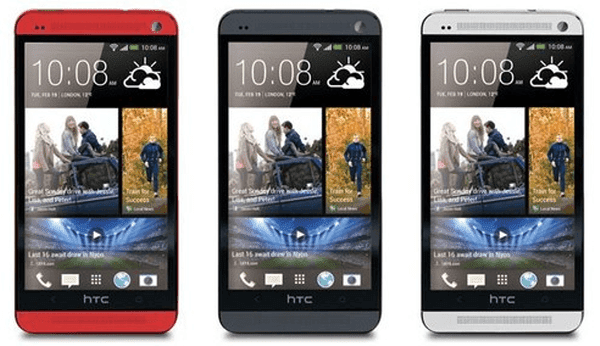
If you feel embarrassed to orally warn other people not to use your HTC One M7 phone, you can set a password to it so as to euphemistically imply your idea. And the following steps can help you quickly set a password on your phone.
Step 1: Go to Settings.
Step 2: Find and click Security.
Step 3: Choose Screen lock.
Step 4: Select Password from the screen lock options.
Step 5: Type a password containing at least 4 characters and tap CONTINUE.
Step 6: Re-type the password in the box and click OK.
Tip: If you don’t want others to see the password when you input it to unlock your phone, you can deselect Make passwords visible in Security.
Related Articles:
- How to Set Password on HTC One M8
- Android USB Drivers for HTC
- Restore Deleted SMS on HTC One Mini Android Phone
Wednesday, January 14, 2015
Reasons to turn your HTC one into a Google Play edition Video

Don’t get us wrong, we’re ecstatic to finally see official stock Android phones. But we learned something from Google Play edition phones. Unlike the Nexus 4, which was intended for pure, stock Android, The Galaxy S 4 was built around the TouchWiz experience and the HTC One was built around Sense. This means in order for the Galaxy S 4 to run stock Android, some of its defining features are missing. Likewise, the HTC One is missing some optimization.
Still, we love stock Android, and Google Play edition on the HTC One is a sure shot way to get the vanilla Google experience on some of the best hardware the mobile space has ever seen. Watch to learn why you should turn your HTC One into a Google Play edition.
source: pocketnow.com
How to Set Password on HTC Butterfly S

Setting a password to your HTC Butterfly S phone will lesson your anxiety that anyone else can browse and even use the private and important data for improper purposes once he or she gets your phone. And the steps to set password on HTC Butterfly S phone are illustrated as follows.
Step 1: Open Settings.
Step 2: Locate and click Security.
Step 3: Choose Screen lock.
Step 4: Select Password as the screen lock.
Step 5: Set up a password according to the requirement.
In more detail, enter at least 4 characters which must contain at least 1 letter to be the password, and tap CONTINUE. Then, re-type the code and click OK.
Related Articles:
- Android USB Drivers for HTC
- Restore Deleted SMS on HTC One Mini Android Phone
- How to Set Password on HTC One M8
- How to Set Password on HTC One Max
- How to Set Password on HTC One X/One X+
How to Set Password on HTC Desire 816
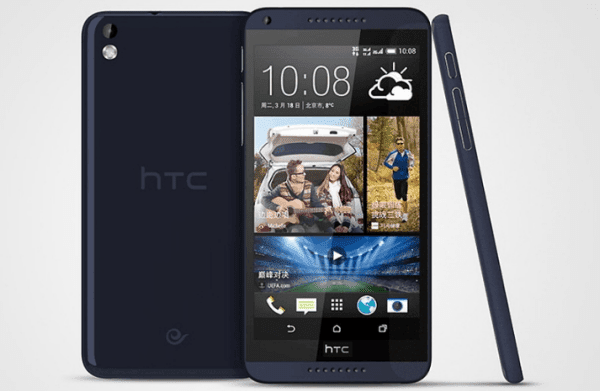
No matter it is a pattern lock, PIN lock or password lock, it is the first line of defense you can set up to prevent other people from checking or stealing the data in your HTC Desire 816 phone. If you have no idea how to set any of the locks mentioned, this post will introduce the steps to set a password for your reference.
Step 1: Enter Settings and choose Security.
Step 2: Open Screen lock.
Step 3: Select Password.
Step 4: Set up a password as requested.
More specifically speaking, type at least 4 characters (including at least one letter) and press CONTINUE. Then, re-type the password and tap OK.
Step 5: Make password invisible. (Optional)
Related Articles:
- How to Get Back Deleted Text Messages on HTC Desire Phone
- Android USB Drivers for HTC
- How to Set Password on HTC One X/One X+
- How to Set Password on HTC One M8
- How to Set Password on HTC One Max
Subscribe to:
Posts (Atom)