Showing posts with label one. Show all posts
Showing posts with label one. Show all posts
Sunday, March 29, 2015
OnePlus One finally gets a pre order system live in October
The past few months have been a pretty mixed bag for OnePlus, the Chinese startup thats behind the One - which it calls a "flagship killer". A series of mishaps, as well as its famous invite system, have led many to hold on purchasing the One. But if you have, you may reconsider starting next month.
See, it looks like the company finally heard the cries of would-be customers across the world, and its set to introduce a new pre-order system "in late October".

Heres how the new system will work. OnePlus will hold limited time sales, during which anyone will be able to place an order for the OnePlus One. So far it sounds like Xiaomis flash sale model. The difference is that OnePlus wont limit the amount of orders that can happen during each window.
Obviously though, the number of readily available Ones will be limited, so those will immediately go out to people who ordered (presumably on a first come, first served basis). When the stock runs out, the remaining orders will be automagically transformed into pre-orders.
If youll be in this situation, the company promises it will give you an approximation of when it expects to ship your order before you go through with the payment authorization (so you can easily back down if it feels like too much of a wait). Also, if you decided to go with the pre-order but change your mind before your handset has shipped, youll be able to cancel easily.
Interestingly though, the invites will stick around. And theyll let you skip the wait. If you receive an invite while youre waiting for a pre-order to ship, you can apply it to skip the pre-order queue and have your One sent to you immediately.
Even more information will be made public about a week before the new system goes live.

Tuesday, January 27, 2015
Dell Vostro 360 All In One PC Reviews

Dell Vostro 360 is a powerful business desktops that use Intels Sandy Bridge platform. All In One desktop is powered by an Intel Core i3-2100 or Core i5-2400s, Intel HD integrated graphics or a 1GB GeForce GT525M

Dell Vostro 360 Specifications
Powered by an Intel Core i3-2100-2400S or Core i5 processor
Genuine Windows 7 Professional SP1 32 bit OS with XP Mode installed (English)
Intel HD integrated graphics or a GeForce GT 525M 1GB discrete card
H61 Intel chipset
Up to 4GB of DDR3 memory, and up to a 1TB hard drive
23-inch Full HD display (optional touch support)
8 X CD / DVD burner (DVD + /-RW) with double layer write capability
HD Audio with two 2.5W (UI) speakers
Integrated 2.0 megapixel webcam with microphone HD
SRS Premium Voice Pro software
8-in-1 card reader
802.11 b / g / n WiFi, and Gigabit Ethernet connectivity
Six USB 2.0 ports (2 side, 4 back)
Optional Bluetooth 3.0 support
External Power Adapter 150/180W
Regulatory and Environmental Compliance
Energy Star 5.0 certified
Dell Vostro All In One PC is a stylish high dimensions 430mm (16.93 inches), width of 568mm (22.36 inches) thick, 75.5 mm (2.97 inches) for non-touch models and 79.0mm (3 , 11 inches) for touch-screen models.
Tuesday, January 20, 2015
How to Set Password on HTC One M7
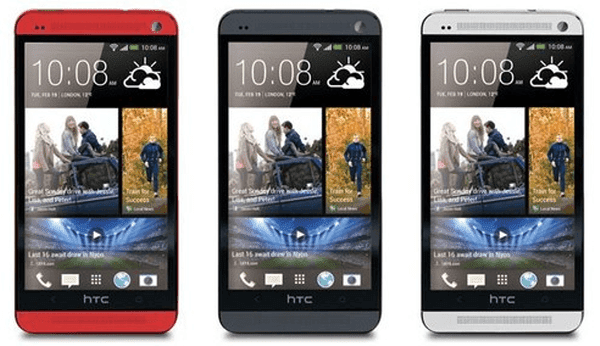
If you feel embarrassed to orally warn other people not to use your HTC One M7 phone, you can set a password to it so as to euphemistically imply your idea. And the following steps can help you quickly set a password on your phone.
Step 1: Go to Settings.
Step 2: Find and click Security.
Step 3: Choose Screen lock.
Step 4: Select Password from the screen lock options.
Step 5: Type a password containing at least 4 characters and tap CONTINUE.
Step 6: Re-type the password in the box and click OK.
Tip: If you don’t want others to see the password when you input it to unlock your phone, you can deselect Make passwords visible in Security.
Related Articles:
- How to Set Password on HTC One M8
- Android USB Drivers for HTC
- Restore Deleted SMS on HTC One Mini Android Phone
Wednesday, January 14, 2015
Reasons to turn your HTC one into a Google Play edition Video

Don’t get us wrong, we’re ecstatic to finally see official stock Android phones. But we learned something from Google Play edition phones. Unlike the Nexus 4, which was intended for pure, stock Android, The Galaxy S 4 was built around the TouchWiz experience and the HTC One was built around Sense. This means in order for the Galaxy S 4 to run stock Android, some of its defining features are missing. Likewise, the HTC One is missing some optimization.
Still, we love stock Android, and Google Play edition on the HTC One is a sure shot way to get the vanilla Google experience on some of the best hardware the mobile space has ever seen. Watch to learn why you should turn your HTC One into a Google Play edition.
source: pocketnow.com
Subscribe to:
Posts (Atom)