Showing posts with label gt. Show all posts
Showing posts with label gt. Show all posts
Thursday, January 29, 2015
Comprehensive Review of the Aplication Samsung Galaxy Ace GT S5830


Main Features
Android OS 2.2 Froyo
3G HSDPA 7.2Mbps
800 Mhz processor, RAM
TFT LCD Display resolution HVGA (320x480) with a width of 3.5 inches
5MP camera with autofocus and flash
Bluetooth and WiFi
Comparison of X10, iPod Touch 3rd and Galaxy Ace gene

Sales Package
Sales package Samsung Galaxy Ace, among others:
Battery 1350mAh
Micro SD 2GB
standard 3.5mm handsfree
charger (micro USB)
Data Cable (micro USB)
warranty card
manual
Design and Body
At first glance one would think that Ace is the iPhone. Very reasonable, because its very similar. Wide-screen (3.5inchi) and aspect ratio (2:3, even with the iPhone 3G/3GS resolution is 320x480), then list shiny around the phone, and the angles at the corners like the iPhone 4. This phone is so like the hybrid between the iPhone and Samsung Galaxy S. From the back coverlah this phone is very different from the other phones, not smooth flat but somewhat jagged material, the positive value of the back become slippery when wet with sweat from your hands. The design of this phone is pretty good overall, not too big but not too small. According to us with wide 3.5-inch screen is very fitting indeed used by smartphones. The following photos and video comparison with the iPhone 4 Galaxy Ace, Aces just thicker and somewhat different in the back. See the following pictures for comparison.

Part of the mobile phone is the hardware "Home" and the two touch buttons on the left and right, respectively Menu and Back, which in a few seconds the lights are lit at the touch of this button will disappear so memorable Galaxy Ace has only one button Home alone .
The back of the jagged, 5MP camera with no lens protector accompanied by a single LED flash, as well as the loudspeaker on the other side.
The side of the phone is covered by a bluish chrome, like the Galaxy S. On the left there while the volume buttons on the right there is the power button and a micro SD slot.
On top there is a micro USB port and a standard 3.5 mm audio jack, on the bottom there is a microphone.
Screen
 Unlike the Galaxy S screen using "Super" (Super AMOLED and Super Clear LCD), Ace just use the standard screen TFT LCD. With a standard resolution of 320x480 (HVGA), of Aces opponent is not worth it for high end smartphone with WVGA screen. However, the color that came out pretty good, pretty bright, angle of vision is also okay. Even so, it appears white on this phone looks yellowish when compared to the Xperia X10 and iPod Touch 3rd Gen, can be seen in the following photographs
Interface
The interface is certainly present in typical Samsung Ace. TouchWiz UI 3.0, does not exactly match the Galaxy S; unlocknya not the same way, but most of it looks very similar. Live panoramic wallpaper and wallpaper can be used on the homescreen, as well as shortcuts, folders, and widgets. Homescreen pages by default there are 3 pages, which can add up to a maximum of 7 pages.
Menu comes with a black background and the icons 4x4 plus 4 fixed icons at the bottom line. You can edit the layout of the icons, but you can not change the number of icons that exist within a single page or a black background which can not be changed. However, you can download the application launcher like Go Launcher EX. Displacement is very smooth menu page as well as on the homescreen. There are no annoying lag. You could say this phone is pretty good performance compared to Android phones in its class. Notification bar rolled typical Android OS present here, with access to power Wi-Fi, Bluetooth, GPS, Silent profile, and screen rotation. Underneath is the name of the operator that you use and the existing notification.
Input Text
Text input method that you can use some, the QWERTY keypad 3x4 (abc), handwriting box 1 and box 2. Way to replace it by tapping icons on the keyboard settings. In addition you can also use as an alternative Swype text input. Swype has been supporting the Indonesian so that typing would feel easier if you have mastered it. In addition to Indonesian and Korean language there is English. Typing on portrait mode is very convenient because the phone screen is almost as wide as 4 inches with a mobile phone Galaxy S or X10. In landscape mode is not as wide as the phone, but overall very easy to type. Sensitive matter of no doubt, a capacitive screen is very responsive.

Phonebook
Phonebook sync properly with Google Mail account, your Facebook and Twitter. From your contacts can see the profile picture, update status of the relevant, email address, and other information that he shared in the account Facebook / Twitter. In making new contacts, which can be recorded is infrmasi IM (almost all messenger services are provided), the group, ringtones, address, office, nicknames, websites, birthdays and anniversaries. Synchronize contacts through SNS can also be used.

Messaging
SMS writing interface in snagat intuitive and easy to use, you can simply select a new contact, phonebook, or group. There is a paperclip icon to add attachments. Alias threaded conversation view mode of course complement the Galaxy Ace.
Samsung GT-S5830 Galaxy Ace Review Gallery
G-Mail on Android phones are very useful, very fast push email. Supports multiple Gmail accounts, and standard features such as signatures, text size, label, notification, and others. Email notifications go to the bar and almost real time. Other email accounts can also be used, but as usual you have to do some settings to sync with Yahoo Mail.
This phone is the default messenger G-Talk, which is always online until you disable it manually. Push notification comes to perfection. Another messenger you can download on Android Market.

Camera
As with the camera on the Samsung Galaxy S, which is 5 Megapixels (2560x1920) equipped with autofocus. Special, Ace comes despite the lack of camera flash LED Samsung Galaxy S the other on the phone, namely the lack of a camera shutter button. Focus on Ace mode is autofocus and makrofokus, no touch focus so it is difficult if you want to produce images that are focused on specific areas other than at the midpoint. To take pictures using the virtual keypad on the screen.
These features are complete enough cameras include: Shooting mode (single, Smile shot, continuous, panorama), Scene (Portrait, Landscape, Night, Sports, Party / indoor, Beach / snow, sunset, dawn, color of fall, fireworks , text, candlelight, backlight), exposure value, Timer (2,5,10 seconds), resolution (5MP, 3.2 MP, 2MP, 1.3MP, 0.3MP), White balance (Auto, Daylight, incandescents, Fluorescent, Cloudy) , effects (sepia, black and white, and negative), ISO (100,200,400), Measurement (centralized, bintiks, matrix), auto contrast, image quality, adjustment (contrast, saturation, sharpness). We can add guide lines (guidelines), and turn on GPS for geo-tagging.
The result is quite good for a camera phone 5 MP, in the dark condition was not embarrassing. The resulting color is similar to the camera on the Samsung Galaxy S. Please see the pictures below and click to get the original size (5Megapiksel, file size is more than 1 MB).
Video Recorder
Video recorder is quite disappointing because it only records up to a maximum resolution of 176x144 and 320x240 QVGA alias only. Other settings are the timer, white balance, effects, video quality, setting. Frameratenya good enough, according to FF Video decoder in Windows Media Player Classic framerate range between 17-21 frames per second and about 900-1000kbps bitrate (see screenshot below). Additional LED flash allows you to record the objects that were located near the dark.


Gallery
Just like the Galaxy S, Android typical 3D galleries that combine images and video as well as equip the phone co. This time the photo is resized according to the display screen. Please you are zooming in by tapping the screen twice and rendering will be done by phone. Photos of the X10-sized 8MP can read well in spite of reading and rendering as early as zoom in, but not too long / annoying. Pinch and zoom and accelerometer are also applicable in the gallery. Photos can be instantly shared on Facebook, Picassa, Allshare, email and others.
Video Player
As in the Video Recorder, video player on the Ace is also somewhat disappointing, only able to read a bit codec, there is no capability to read divx / xvid, much less. Mkv like the Galaxy-class phones S. It should be noted, competitors Ace, Optimus One, default video player can play divx / xvid with current standard definition. But you can play divx, xvid and other codecs with RockPlayer applications.
View the video player itself is very simple, just a timeline, the pause, fast forward and backforward only. Downloads videos from Youtube to a resolution of 480x360 (360p) can be played on this phone, and perform very well on screen HVGA resolution on Ace.

Music Players
The music player up the songs in four categories, Artist, Album, Songs (all songs in a micro SD), and Playlist. Album art is displayed when selecting the album as well as play the song. In landscape mode the display does not vary much with the portrait.
Loudspeaker broke the sound quality using the highest volume, and quite fast. With the use of headset sound quality is pretty good, with the equalizer settings (Normal, Jazz, Classical, Dance, Pop, Live, Concert Hall, Wide, Bass enhancement, Clarity). Equalizer no manual, and here equalizer combined with a Sound Effect (on Galaxy S Live, Concert hall is a sound effect etc.) so that you can not use equalizer pop while wearing effects such as concert hall. 5.1 channel effect is also participating in this phone, but as ever before equalizer should be in the Normal position.
FM Radio
You must use a headset to listen to radio broadcasts. Station ID can be displayed (if any)
Connectivity
Samsung Galaxy Ace runs on Quadband 850/1800/1900/2100 network and 3G 900/2100 with HSDPA internet connectivity up to 7.2 Mbps. Then the local connectivity is a-GPS, Bluetooth 2.1, WiFi (802.11 b / g / n) and the micro USB (for mass storage, PC sync using Kies and modem). This phone can use the WiFi tethering as the Galaxy S and other Froyo phones.

Browsing
Galaxy Ace default browser with other Android phones. Although using Froyo, this browser does not support flash (in the settings there is no option to activate the flash as the default browser Galaxy SL). Do not worry because this phone is equipped with Youtube app, although it still does not flash-based games can be played. This browser supports only 4 tabs are, oddly enough, though too little everyday you probably are not that many tabs open.
Default Applications
We will discuss some of the default application on the Samsung Galaxy Ace
Google Maps
Google Maps on the Galaxy Ace is still version 4.5, so it does not yet support 3D maps like Maps 5.0. Rendering maps running quickly and without problems as well as integrated with Google Places.
Social Hubs
Connecting to the SMS messages, Facebook and Twitter Direct Messages.
Think Free Office
Application to read documents and create a new document (doc, spreadsheet, and presentation)
News & Weather
Application monitors the weather for cities around the world, can be auto-refresh
Latitude
Integrated with the Maps application to find out the last position of your friends.
Task Manager
Application to close running applications, memory cleanse and see the current process
Third-Party Applications
We install some third party applications for the Samsung Galaxy Ace
Rock Player
Because the Video Player the default phone application is not supported many codecs, we tried to install this universal video player application. 700MB divx file size and resolution of Standard Definition (720x480 aka D1) can be played with a smooth, complete with a subtitle format. Srt. Mpg files are also going well, only. Mkv that read left his voice while drawing or severe lag.

If you are looking for mlalui PC applications, may link to download the shortcut provided in the form of a barcode. Barcode Scanner allows you to make Android mobile barcode scanning and go to the link in the barcode.
Benchmark Results
Through the application of Quadrant Standard, known to use the Galaxy Ace ARMv6 CPU types with a frequency of 800 MHz, Qualcomm Adreno 200 GPU using OpenGL ES-CM version 1.1 and has a total of 284 436 MB of memory.

Benchmark test results using a Quadrant Standard: 594
Benchmark Pi: 2013 ms
CPU Benchmark: 1136 ms
These results indicate that the Samsung Galaxy Ace has a better benchmark numbers than the Optimus One (307 in our previous review), even the Xperia X10 (eclair) belongs to us only get 494 points. Performance of this phone is pretty good and we did not find that annoying lag.
Galaxy Ace benchmark results using the Standard Quadrant
Benchmark results using a Quadrant Standard Xperia X1

Battery Life
Ace uses a capacity of 1350 mAh Lithium Ion battery as a power source. 9 pm phone battery is fully charged 100%, and left to sleep with the state of flame and some applications using the internet that runs in the background such as Google Mail, Gtalk, Facebook and others. Then at 9 am the phone started to be tested by us, play a song and video, download an application, play Angry Bird, and remain online continuously, and the results at 4 pm the battery was asked in-charge again. Not too bad, standard Android phone if you start, use, and continuous online.
Conclusion
Galaxy Ace is considered a valuable mobile phones, the price of 3 million dollars you get a sail Froyo Android phones are pretty good and fairly high performance. It does have weaknesses compared to its competitors, but its all still in a reasonable level.
Specs Samsung Galaxy Ace GT-S5830
Excess
5MP camera with flash
HVGA screen is quite large, 3.5-inch
Android OS Froyo 2.2
Good performance, not much lag
Support for multitouch
Output sound quality music player (via headset)
Shortage
320x240 QVGA video recorder only
Default video player can not play divx file
No small LED lights to indicate a notification
No camera shutter button
Browser does not support flash
Camera
Resolution: 5 megapixels
Circumstances: the Light
Flash: yes, a single LED flash
Autofocus: yes
Features: Shooting mode (single, Smile shot, continuous, panorama), Scene (Landscape, Night, Sports, Party / indoor, Beach / snow, sunset, dawn, color of fall, fireworks, text, candlelight, Against the light), White balance (Auto, Daylight, incandescents, Fluorescent, Cloudy), Timer (2,5,10 seconds), Exposure (-2 to +2), resolution (5MP, 3.2 MP, 1.3MP, 0.3MP), effects (sepia , black and white, and negative, and watercolor), exposure metering, auto contrast, image quality
Video Camera
Resolution: QVGA (320 x 240 pixels), + -20 frames per second
Autofocus: No
Flash: yes, a single LED Flash
Features: Choice of video resolutions (QVGA, QCIF), color effects (sepia, black and white, and negative), the video quality (excellent, good, normal), audio (on / off), white balance (auto, incandescent, cloudy, daylight, fluorescent), self timer (2, 5, 10 seconds), as much as 4x digital zoom, and EV
Setting Internet
Setting manual or automatic: Automatic
GPS
Kompass Digital: Yes
A-GPS: Yes
Map default: Yes, Google Maps
Browser
Format: HTML
Flash Player: Yes
Performance: faster
Support of many windows: 4
Screen
Touch screen 3.5-inch multitouch capacitive technology, the type of TFT LCD color 16 million colors, resolution 480 x 320 pixel HVGA
OS
Type what: Android OS 2.2 (Froyo)
Input
Type: virtual QWERTY keyboard with Swype, virtual keypad, and handwriting recognition
Screen sensitivity: sensitive
Media & Multimedia
Music player for MP3, WAV, AAC
Video format: mp4
Share functions: Email, Bluetooth, MMS
Wi-Fi
Type: Wi-Fi 802.11 b / g / n
Shortcut on / off: There, the notification
Tethering: yes
Network
3G support: yes, HSDPA 900/1900/2100
Band: Quad Band GSM / GPRS / EDGE 850/900/1800/1900 MHz
Bluetooth
Version: Bluetooth version 2.1 with A2DP support
Messaging
The use of SMS and MMS: Easy
Email support: IMAP4 and POP3 protocols
Other Features: Threaded messaging
Email attachment: image files, office files, etc..
Battery
Battery type and capacity: 1350 mAh Li-Ion

Application
Support format: Android application (. Apk)
Market app / Place Download: Android Market
List of Application:
-Phonebook
-Call
-Message
-Gallery
-Music player
-Alarm
-Calendar
-Memo
-Calculator
-Browser
-YouTube
-Camera
Video-recorder
-Widget
-Google Maps
-Google Talk
Accelerometer
-GPS
Notifications
SMS: Yes, sounds and notifications on the home screen
Email: Yes, sounds and notifications on the home screen
Chats: Yes, sounds and notifications on the home screen
Ring tones
Format: MP3, WAV, and AAC
MP3 as ringtone: Yes, via the music player and profile
MP3 as sms: Yes
MP3 as email: No
Profile
Shortcut or the normal profile settings: On the menu
Type: Normal, silent, meeting, outdoor, driving
Airplane mode: Yes
Background
Image formats: JPEG, GIF
Photo as wallpaper: Yes, through the gallery and customization
Synchronize to Computer
Media: microUSB data cable, and Bluetooth
Application: Samsung Kies
Mode: In Mass Storage / Modem
Memory
Internal: 158 MB
Support memory cards: MicroSD up to 32GB, 2GB free
Telephone book
Capacity: Not limited
Data: Email, IM address, personalized ringtones, contact group, home address, office address, etc. to complete the contact information in the phonebook.
OTA synchronization: sync Google, Facebook and Twitter
Photo: Yes, from the contact
Backup: SIM Card, google sync, PC Suite
Offline Contacts Backup application (computer): SIM card
Support file backup: -
Phone Calls
Speed dialing, voice dialing (speaker independent) and voice commands
Records of outgoing calls, incoming and missed calls
Conference call
Integrated handsfree speaker
Home Screen, Themes & Personalization
Maximal number: 7
Displacement: Current
Performance: Current
Widget Support: Yes
Hotkey Support: Yes
Personalization
Front of the screen can be adjusted:
-Wallpaper
-Home screen
Menu-Structure
-Pintasan/Shortcut
-Widget
Other
Jackaudio: There, 3.5mm
FM Radio: Yes, requires headset to play
Akeselerometer: Yes
Alarm: Yes
Keypad tone: Yes
Charging port: Yes, microUSB
Unlocked and the lock: Press the power button
Hot swap: Yes, open the battery cover
Speaker: toned voice, somewhat broken at the highest level
Plane modes: Offline mode
USB: MicroUSB for data and charging

Sunday, January 25, 2015
How to Create A PIN Lock for Samsung Galaxy Gio GT S5660
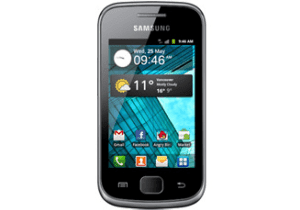
Locking phone screen to prevent other people from easily accessing the phone seems to be a must-to-do thing to protect the private data. And among all available methods, a relatively effective method is creating a PIN lock. Moreover, this post primarily introduces the steps to create a PIN lock on Samsung Galaxy Gio GT-S5660.
Step 1: Open Settings.
Step 2: Choose Location and security.
Step 3: Click Set screen lock.
Step 4: Select PIN to go on.
Step 5: Select 4 numbers to form a PIN, and press Continuewhen finished.
Step 6: Reselect the 4 numbers to confirm the PIN, and tap OK.
Related Articles:
How to Set Pattern Lock on Samsung Galaxy Gio GT-S5660
How to Set Password on Samsung GT-I8190N
How to Set Password on Samsung GT-I8268
How to Enable and Disable USB Debugging in Samsung GALAXY Tab2
Saturday, January 24, 2015
How to Set Password on Samsung ATIV S GT I8750
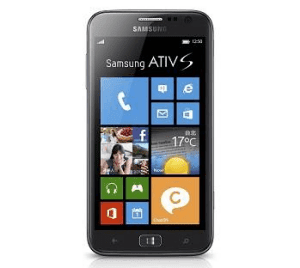
With Windows Phone 8 system, 4.8-inch screen and many other advantageous configurations, Samsung ATIV S GT-I8750 phone has enjoyed great popularity among customers. However, a number of users have no idea how to set a password to it. Therefore, the steps to set a password on Samsung GT-I8750 are introduced below.
Step 1: Swipe left on the screen to open a menu of all apps.
Step 2: Swipe up on the menu and click Settings.
Step 3: Choose Lock screen.
Step 4: Find Password option and move the slider to right so as to turn it on.
Step 5: Enter a password, reenter it and tap Finishin the next interface.
Related Articles:
How to Set Password on Samsung Trend II I739
How to Set Password on Samsung S5380/S5380I
How to Open USB Debugging in Samsung Galaxy S5
Android USB Driver for Samsung
Samsung Wave GT S5753E
Samsung re-released smartphone OS Bada her his in Indonesia, the Samsung GT-S5753E Wave or Wave 575 short. Equipped with HSDPA, a WQVGA capacitive screen measuring 3.2 inches, 3.2MP camera, aGPS, and UI is typical Samsung TouchWiz version 3.0, the Samsung Wave 575 smartphone ready to compete with in price range USD216.61
Key Features
Dual-band HSDPA (900/2100MHz), EDGE / GPRS Quad-Band (850-900/1800/1900MHz)
TFT touch screen, capacitive, 262ribu color depth of color, WQVGA resolution (240 x 400 pixels), 3.2-inch, multitouch support,
TouchWiz UI 3.0
3.2 MP camera (2048x1536 pixels) with a Smile-Shot, 15fps QVGA video recorder
aGPS
Bada OS 1.1
100MB internal memory, external Micro SD up to 16GB
Wi-Fi 802.11 b / g / n, Bluetooth 3.0

Sales Package
The sales package contains the Wave 575 include:
User Manual
Standard 3.5mm headset
Data cable
Charger
Warranty card (1 year)
Design and Body
The design of this smartphone is identical to other Wave 525 Wave already we have reviewed. The only difference is the 3G logo on the right above. Almost all of the smartphone is made of shiny plastic is easy to get dirty, especially on the screen.
At the top there is a standard 3.5 mm audio jack and micro USB type connector for the charger or data cable. The socket is protected by applying the sliding cover.
This smartphone screen type TFT capacitive (multitouch support) is large enough, 3., 2-inch, WQVGA resolution (240x400) and color depth of 262K colors. The resulting color reproduction is pretty good smartphone, and the brightness and contrast are also very good. Phone screen is quite good even if only a WQVGA resolution. Colors that look good, viewing angle (viewing angle) is also quite good.

Interface
Interface used by the Wave 575 will be very familiar to lovers of Samsung, TouchWiz is used because it uses a touch screen smartphone made by Samsung since Samsung Omnia. More precisely the version used is a TouchWiz TouchWiz 3.0, the same as on the Samsung Galaxy S.
Unlock the screen is done by simply swiping the screen. This way we thought it was easier than unlock iPhone style. Similar to the Galaxy S, at the very top there is a notification bar that can be rolled down. This notification bar contains shortcut buttons WiFi, Bluetooth, and profiles. At the bottom there are incoming messages, notification of the application is running, and incoming email. Unfortunately Wave 575 is equipped with LED lights such notification on the Blackberry and Android handsets.
Homescreen is used by default there are three very distinctive style of Android wallpaper used herein, the image continued to connect between the three-page homescreen it. The number of pages can be added depending on the number of widgets you use. Widgets are available such as weather info, google search, yahoo, galleries, and others. Similarly, menu, more and more applications are installed, the more the number of pages increased from the default of three.

Input Text
Wave 575 use capacitive screens which are no doubt the level of sensitivity. Therefore we need not worry if you have long-term typing on the smartphone. Moreover, there are many options for inputting text, such as the QWERTY (portrait / landscape), the standard keypad (abc), and something that has a lot left that is handwriting recognition.
Phonebook
As todays smartphones, smartphone can be to synchronize contacts with your Facebook account and Twitter us. The data from Facebook as a birthday, email address also is in contact. Existing contacts can be marked with a star (favorite). In addition we can also group your contacts.
Messaging
Message is displayed on the smartphone with the conversation mode, or better known as the Thread Mode making it easier for us to see the conversation between you and your colleagues. It seems like the features of this mode thread is already a mandatory feature for mobile phones today. The phone supports multiple email accounts. This smartphone also supports push email, but from our experience push email on Android and Blackberry smartphone faster than the Wave 575.

Instant Messenger on the menu there are three popular types of Messenger that you can use, namely Yahoo, GTalk, and Windows Live. Strangely enough, to access this menu you should use a SIM card, although the messenger can still be done using WiFi.
Camera
Wave 575 has a rear camera of 3.2 megapixel resolution (2048x1536 pixels), which unfortunately has no autofocus or flash lights. The camera is equipped with smile shot that will capture the image automatically if the object is photographed smiling. The trick is that you press the shutter button first, then the camera takes the photo automatically when the object is photographed smiling. Hayden Panettierre photo below is an example of the results of the Smile Shot. The photo is quite nice, quite dependable when bright lighting. Following the Wave 575 Samsung camera
Interface typical camera phone Samsung since Samsung Jet. Although it does not have autofocus, the camera features are complete enough, among others: Shooting mode (single, Smile shot, continuous, panorama, mosaic, and frame), Scene (Landscape, Night, Sports, Party / indoor, Beach / snow, sunset , dawn, fall color, fireworks, candlelight, Against the light), White balance (Auto, Daylight, incandescents, Fluorescent, Cloudy), Timer (2,5,10 seconds), Brightness (-2 to +2), resolution ( 3.2 MP, 2MP, 1.3MP, 0.1MP, 2.4MP wide, wide 1.5MP, 0.1MP and wide), effects (sepia, black and white, and negative), exposure metering, picture quality, and geo-tagging.
Video recorder
The video recorder has a maximum resolution of QVGA (320x240) and QCIF (176x144) which is used to send MMS. Framerate was just hover around 15fps. Video recorder features less than the camera, only duration (normal / MMS only), effects, white balance and brightness.
Music Players
The music player on the Wave 575 has the full effects. There equalizer (normal, pop, rock, jazz, dance, classic, live) and other effects that can be integrated with the existing equalizer (wide, concert hall, music clarity, bass enhancement, externalization and 5.1 channel). But we can not customize the equalizer itself. The resulting sound is quite tinny loudspeaker, although somewhat broken, but it still sounds pretty good. If using a headset sounds better because the effects are better accommodated

Video Player
Video player on the Wave 575 can only play format. Mp4 and .3 gp only (maximum resolution of 320x240), is quite unfortunate given many smartphones as well as non-smartphones that can play more formats like divx / xvid even. Mkv. We expect there will be developers who make universal video player application for OS Bada.
Photo Gallery
Gallery in Wave 575 does not stand alone, you must access the My Stuff to look at the photographs on this phone. Zooming can be done with pinch and zoom. To see pictures of the next and previous, in addition to swiping the screen to the intended direction, we can do this by tilting the phone to the left (previous picture) and right (next photo). However if it feels annoying, this feature can be turned off, in the Settings → Orientation → Gestures. Photos / images can be sent directly there via MMS, Bluetooth and e-mail, in-upload to Flickr, Facebook, MySpace, and Photobucket. There is also a simple image editor where you can set the brighness / contrast, adding effects, to resize, rotate and do the cropping of the image.
Connectivity
This smartphone runs on the GSM / GPRS / EDGE 850/900/1800/1900 MHz and 3G network HSDPA 900/2100. For local connectivity there is Bluetooth version 3.0 with A2DP support, and support for Wi-Fi 802.11 b / g / n. To transfer or synchronize phone data to PC and vice versa you can use the microUSB data cable included with the sale of mobile phones in the box. Selection of micro USB is wise because it is more and more handsets any operating system that uses micro USB. For mass storage, which is readable on a PC is micro SD.
Browsing
Browsing congenital Wave 575 supports pinch and zoom are already popular. The browser is able to open a tab to 5 pieces. Quite a bit of it, but the number of tabs opened are incriminating phone, after all, Wave 575 specification does not seem so high considering the price offered is cheaper than other smartphones. But we can open a version of the desktop without the constraints TeknoUp.com means, though browsing the site krang convenient desktop version to do a phone with such a small screen resolution of Samsung Wave 575. On Wave 575 browser does not support flash, when we opened the site Youtube videos desktop version can not diplay.
Social Hub
Social Hub combines social networking and your message. All SMS, MMS, email, Facebook inbox, Direct Message Twitter is available here.
Up to 575 Wave arguably mediocre, nothing special. No chat, background notification, but can upload images. In general not much different from the open facebook.com through the browser.
Twitter application was also unremarkable, no different than opening it through the browser.
Search
As Search on iOS 3 and above, we can find whatever there is in these smartphones, such as contacts, messages, images, music, video, documents, even a menu, bookmark, and help.
The GT-S5753E Wave Review Gallery
Samsung Apps
Kind of "Market" to sell the Bada application. Many applications are available free of charge because according to Samsung Bada is positioned as a smartphone all walks of life.
Youtube
This is not an application, but only the shortcut access to YouTube Mobile site, m.youtube.com
Navigation
Applications using the map on the Wave 575 Route 66. The application is quite appropriately and generously but fairly slow rendering maps. There is also a Google Maps version 2.3.2 as an alternative.
Games
There are two games available is Tumbling Dice (simulator is a simple dice shaker) and Parachute Panic, a simple game on parachutes and skydiving.

Battery Life
Samsung Wave 575 type Lithium Ion battery with a capacity of 1200 mAh, the same as that used Samsung Wave 525. With a 3G smartphone, do not be surprised if the stand-Wave 575 more briefly than its twin non 3G Wave 525.
Conclusion
Smartphone is almost no difference with her smartphone OS Bada other we have reviewed, the Samsung Wave 5253. The difference is very minor, the biggest difference is only a 3G network on the Wave 575. Given the 3G in Indonesia is still not as good abroad, the price difference with Wave 525 can be an obstacle. But these features are enough to compete with the smartphone class. Bada OS is still not popular and have not had a lot of interesting applications, but the fact that the Samsung as the number two mobile phone vendor in the world can certainly be expected.
Excess
Capacitive touch screen is nice, responsive and supports pinch and zoom
Already supporting 3G
WiFi, GPS and Bluetooth 3.0
Social Hub
Shortage
Bada application is still little
The camera does not berautofokus and do not have flash lights
only QVGA 15fps video recording, as well as the video player
No LED lights to indicate the notification
Facebook (Applications)
Upload a photo: Yes
Update status: Yes
Photo Album: Yes
Comments: Yes
Inbox: Yes
News Feeds: Yes
Twitter (Applications)
Update status: Yes
Upload the photo: No
Reply: Yes
Retweet: Yes
DM: Yes
Camera
Resolution: 3.15 megapixels
Circumstances: the Light
Flash: No
Autofocus: No
Zoom: 2x
Features: Choice of image resolution (3.2 MP, 2MP, 1.3MP, 0.1MP, 2.4MP wide, wide 1.5MP, 0.1MP and wide), color effects (sepia, black and white, and negative), exposure metering (matrix, center, spot), image quality (excellent, good, normally), shooting mode (single, continuous, mosaic, smile shot, panorama, frames), scene modes (night, party / indoor, landscape, sports, beach / snow, sunset, color of fall, candlelight, dawn, fireworks, agains the light), geotagging, white balance (auto, incandescent, cloudy, daylight, fluorescent), self timer (2, 5, 10 seconds), as much as 2x digital zoom, and EV
Video Camera
Resolution: QVGA (320 x 240 pixels), 15 frames per second
The dark: Light
Flash: No
Frames per second: -
Features: Choice of video resolutions (QVGA, QCIF), color effects (sepia, black and white, and negative), the video quality (excellent, good, normal), audio (on / off), white balance (auto, incandescent, cloudy, daylight, fluorescent), self timer (2, 5, 10 seconds), as much as 2x digital zoom, and EV
Setting Internet
Setting manual or automatic: Automatic
GPS
Kompass Digital: No
A-GPS: Yes
Map default: Yes, Google Maps Version 2.3.2
Browser
Format: HTML
Flash Player: Yes
Performance: slow when many tabs open
Support lots of windows: 5 tabs
Screen
Multitouch touch screen measuring 3.2 inches TFT capacitive technology, the color depth of 262K colors, 240 x 400 pixel resolution
OS
Type what: Bada OS Version 1.1
Input
Type: virtual QWERTY keyboard, virtual keypad, and handwriting recognition
The sensitivity of the screen: quite sensitive
Office
The default application: Yes, Picsel Viewer
Media & Multimedia
Music player for MP3, WAV, AAC
Photo gallery video: Yes, use the Gallery
Share functions: Email, Bluetooth, MMS
Wi-Fi
Type: Wi-Fi 802.11 b / g / n
Shortcut on / off: There, the notification
Signal: Stable
Network
3G support: yes, HSDPA 900/2100
Band: Quad Band GSM / GPRS / EDGE 850/900/1800/1900 MHz
Bluetooth
Version: Bluetooth version 3.0 with A2DP support
Messaging
The use of SMS and MMS: Easy
Email support: IMAP4 and POP3 protocols
Other Features: Threaded messaging
Email attachment: image files, office files, etc..
Battery
Durability (Standby): 5 days)
Talk time: 5 hours
Operation to play music: -
Battery type and capacity: Li-Ion 1200 mAh
Streaming
Audio: Yes, through a browser
Video: Yes, through a browser (YouTube)
Application
Support format: -
Market app / Place Download: Samsung App Store
List of Application:
-Phonebook
-Call
-Message
-Gallery
-Music player
-Alarm
-Calendar
-Memo
-Calculator
-Browser
Picsel Viewer-
-YouTube
-Camera
Video-recorder
-Widget
- Route 66
-Google Maps
-Yahoo Messenger
Accelerometer
-GPS
Notifications
SMS: Yes, sounds and notifications on the home screen
Email: Yes, sounds and notifications on the home screen
Chats: Yes, sounds and notifications on the home screen
Facebook: Yes, the update status on home screen
Twitter: Yes, the update status on home screen
Ring tones
Format: MP3, WAV, and AAC
MP3 as ringtone: Yes, via the music player and profile
MP3 as sms: Yes
MP3 as email: No
Profile
Shortcut or the normal profile settings: On the menu
Type: Normal, silent, meeting, outdoor, driving
Airplane mode: Yes
Startup
Startup time: 20 seconds
Games
Default: Tumbling Dice, Parachute Panic.
Place download: Samsung App Store
Background
Image formats: JPEG, GIF
Size: 240 x 400 pixels
Photo as wallpaper: Yes, through the gallery and customization
Navigation
Touchscreen: Yes
Others: -
Use: Easy to use
Synchronize to Computer
Media: microUSB data cable, and Bluetooth
Application: Samsung PC Sync
Mode: In Mass Storage / Modem
Memory
Internal (Application): 100 MB
Support memory cards: MicroSD up to 16GB
Telephone book
Capacity: Not limited
Data: Email, IM address, personalized ringtones, contact group, home address, office address, etc. to complete the contact information in the phonebook.
OTA synchronization: sync Google, Facebook and Twitter
Photo: Yes, from the contact
Backup: SIM Card, google sync, PC Suite
Offline Contacts Backup application (computer): SIM card
Support file backup: -
Phone Calls
Speed dialing, voice dialing (speaker independent) and voice commands
Records of outgoing calls, incoming and missed calls
Conference call
Integrated handsfree speaker
Home Screen, Themes & Personalization
Maximal amount: Depends many widget
Displacement: Current
Performance: Current
Widget Support: Yes
Hotkey Support: Yes
Personalization
Front of the screen can be adjusted:
-Wallpaper
-Home screen
-Type font (Font Samsung and Rosemary)
-Pintasan/Shortcut
-Widget
Other
Jackaudio: There, 3.5mm
FM Radio: Yes, requires headset to play
Akeselerometer: Yes
Alarm: Yes
Keypad tone: Yes
Charging port: Yes, microUSB
Unlocked and the lock: Press the power button
Hot swap: Yes
Speaker: toned voice, somewhat broken at the highest level
Plane modes: Offline mode
USB: MicroUSB for data and charging
Tuesday, January 20, 2015
How to Set Pattern Lock on Samsung Galaxy Gio GT S5660
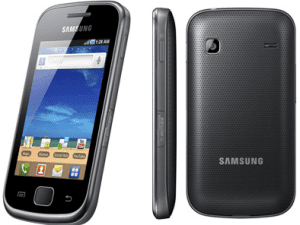
Almost every day, you can see people around you draw diversified patterns on the phone screens to unlock their phones. If you haven’t set a pattern lock on your Samsung Galaxy Gio GT-S5660 phone, your curiosity for the method to set it by yourself will definitely be aroused. Hence, this post illustrates the detailed steps for your reference.
Steps to set a pattern lock on Samsung Galaxy Gio GT-S5660:
Step 1: Open Settings in the phone.
Step 2: Find and access Location and security.
Step 3: Locate and click Set screen lock.
Step 4: Choose Pattern to move on.
Step 5: Draw a pattern and tap Continue. Meanwhile, please note that the pattern must connect at least 4 dots.
Step 6: Draw the pattern again and click Confirm.
Related Articles:
How to Create A PIN Lock for Samsung Galaxy Gio GT-S5660
How to Set Password on Samsung GT-I8190N
How to Set Password on Samsung GT-I8268
Android USB Driver for Samsung
Monday, January 19, 2015
Samsung Wave GT S5253 Reviews

Samsung Wave 525, or whose full name is the Samsung GT-S5253, is a Bada OS smartphone with a Samsung. Smartphone is quite affordable, with approximately $160 only money you already have a smartphone with a pretty good specs. You get a smartphone with a capacitive screen that supports multitouch, the interface is typical Samsung TouchWiz 3.0, and the design is pretty good. This is because Samsung is positioned as a smartphone OS Bada for all circles.
The main specifications:
GPRS / EDGE GSM 850/900/1800/1900
TFT touch screen, capacitive, 262ribu color, resolution 240 x 400 pixels, 3.2 inches, supports multitouch zooming, the Inter-face TouchWiz 3.0
3.2 MP, 2048x1536 pixels, 15fps QVGA video recorder
Bada OS 1.1
100MB internal memory, up to 16GB external
Wi-Fi 802.11 b / g / n, bluetooth 3.0
Box of Sales
Fill the box / boxes are just standard smartphone sales, such as charger, data cable, handsfree, warranty cards, manuals and books. There is no driver CD or micro SD.
Design and External Display
The first time we saw this phone, the design of the front is very similar to Galaxy S, with the 3 buttons below the screen that hangs on the button, the menu / back, and hang up buttons. Can say it looks more interesting than previous Samsung touch screen phones such as Samsung Star.
Materials of this phone is almost entirely made of glossy plastic material. At the very top of any standard 3.5 mm audio jack and a socket for the charger or data cable. The socket is protected by applying the sliding cover.
The right side there is a shortcut key or the camera shutter and on / off button that also serves as the lock screen.
The left side there are only a volume control knob.
The back there is a 3.2 megapixel camera and loudspeaker at the bottom.
This smartphone screen type TFT capacitive, 240x400 resolution, color depth of 262K colors and measuring 3.2 inches. The resulting color reproduction is pretty good smartphone, and the brightness and contrast are also very good. Although only a WQVGA resolution (240x400) and only 262 thousand color depth, you could say the phone screen is best in its class. When used in the hot sun screen looks pretty clear. Visual angle (viewing angle) is also quite good. We are very satisfied with the performance of this smartphone screen.
Interface
Interface using the Samsung GT-S5253 interface is typical Samsung TouchWiz 3.0, therefore the display screen of this smartphone is very similar to Samsung Galaxy S and Samsungs first Wave (S8500). Therefore Samsung loyal users, particularly those using the TouchWiz UI, will be easily ascertained familiar with this smartphone interface. But what about those who first use the TouchWiz UI? Relax, look across his face is quite simple and friendly as there are instructions for making arrangements in both the homescreen and menus.
Homescreennya similar to Androids homescreen, wallpaper slide-slide up to 3 screens. 3 This screen can be filled with a variety of widgets available. But we can add to the homescreen display is not limited to 3 pieces only. We just add the widget to the screen, then by itself will increase the homescreen display. The default widget is enough to add up to 7 screen display homescreen, could be more if we add a widget to download. But the performance of this smartphone could be slower if we add too many widgets. If the performance of this smartphone to be slow, we can access the task manager by holding down the menu for a while.
At the very top of the screen there is a notification area that is activated by rolling it down, with the panel to activate / disable bluetooth and wi-fi, as well as to change the profile.
The menu consists of 3 columns and 5 rows, with the bottom line of the existing fixed line in the homescreen as well as on every page. Yes, the menu consists of two pages, and even more so if we install a new application. The icons contained in the menu can be moved at will, by touching a small icon in the left corner menu setting, then we just touch and hold the icon and menggeserkannya.
Text input
Text input on this smartphone can use the keypad, virtual QWERTY keyboard, handwriting recognition (full screen and writing box). But because this smartphone is using a capacitive screen is quite responsive and has a large enough screen size, 3.2 inches, is recommended to use QWERTY keyboard, because it is very easy to use QWERTY keyboard, and we seldom made a mistake typing in both portrait or landscape mode.

Phonebook
This smartphone has the ability to synchronize Contact with our Twitter account and Facebook.
Messaging
Message is displayed on the smartphone with the conversation mode, making them easier to see conversations that take place within. To change the SMS to MMS we just need to add a multimedia file. We can also schedule to send SMS at a specified time.
E-Mail on this phone can support multiple accounts at once, such as Gmail, Windows Live Hotmail and others.
Messenger
There are two built-in messenger smartphone, namely Yahoo Messenger and Palringo. We tried Yahoo Messenger, time to sign-in and loading friends quite slow, because it is still using EDGE smartphone. But Yahoo Messenger application can be minimized so that we stay online. If there is no notification of incoming messages in the message viewer the very top of the screen. Unfortunately, this smartphone is equipped with LED lights such notification on the Blackberry or some Android smartphone.
Camera
Samsung GT-S5253 is equipped with a 3.2 megapixel (2048x1536 pixels), which unfortunately does not have autofocus. The lack of flash lamps also add things that are less than the camera on this smartphone. In the absence of autofocus makes the camera captures images very quickly, so you do not lose the moment. But if you take close-up, we feel the difference between taking and not autofocus. The picture will look a bit blurry.
Camera interface very similar to other Samsung phones, it is not at all surprising. Its features include: Shooting mode (single, Smile shot, continuous, panorama, mosaic, and frame), Scene (Landscape, Night, Sports, Party / indoor, Beach / snow, sunset, dawn, fall color, fireworks, candlelight , Against the light), White balance (Auto, Daylight, incandescents, Fluorescent, Cloudy), Timer (2,5,10 seconds), Brightness (-2 to +2). That there is sufficient resolution (3.2 MP, 2MP, 1.3MP, 0.1MP, 2.4MP wide, wide 1.5MP, 0.1MP and wide), then as usual effects can add sepia, black and white, and negative. There is also exposure metering and image quality. Smartphones camera is also equipped with Geo-Tagging for having A-GPS.
Video recorder
Video recorder smartphone supports two resolutions are QVGA (320x240) and QCIF (176x144). Framerate was about 15fps range. The resulting format is mp4. Setup is very simple, only duration (normal / MMS only), effects, white balance and brightness.

Photo Gallery
To view photos and images exist, we can access it via the "My Stuff", which also serves as the File manager of this smartphone, so we can group photos / images in various folders. To view images before and after that we just wipe the screen to the intended direction. To open an image file is a little heavy this smartphone rendering quite slow, but it is reasonable for the size of the smartphone class. To try to zoom the picture we can do a pinch and zoom like the iPhone or the Galaxy S. However, zooming is done, of course not as smooth as the two above-mentioned class handset. Photos / images can be sent directly there via MMS, Bluetooth and e-Mail, can be uploaded to Flickr, Facebook, MySpace, and Photobucket. There is also a simple image editor where you can set the brighness / contrast, adding effects, to resize, rotate and do the cropping of the image.
Video player
The video player has its own application, which application is to detect all the videos that are supported by this phone. Unfortunately this phone does not have the capability to play video format divx / xvid, where the average smartphone Samsung can do it. So just format mp4 video file (and of course 3gp) that can be played by this smartphone, and even then it seems confined to QVGA resolution (320x240), because we mp4 video file 480x270 resolution can not be played by this smartphone. But this is expected because the Bada OS is an OS that will continue to evolve, someday there are developers who create applications with a wide range of video player codecs like eRock Player on Android and CorePlayer on Windows Mobile.
Music player
The music player on the smartphone has a setting that is quite similar to other Samsung phones, from the equalizer (normal, pop, rock, jazz, dance, classic, live) and additional effects (wide, concert hall, music clarity, bass enhancement, and externalization). There are also features 5.1 channel that gives a different sensation when listening to music. There are also music recognition application, such as TrackID feature on Sony Ericsson mobile phones. Weve tried it and the song "I Will" from the Beatles can be recognized easily, and can be incorporated into the "Wish List".
The resulting sound is quite tinny loudspeaker, although somewhat broken, but it was pretty crowded as well as sound when the alarm. If using a headset voice sounds clear enough, and the resulting 5.1-channel effects are felt.
FM Radio
To listen to FM radio broadcasts you must plug the headset to the 3.5mm audio jack is available. . This phone can also do auto-scan and record radio broadcasts are heard. Radio can also be heard through the loudspeaker, but the headset remains to be plugged.
Connectivity
This smartphone runs on the GSM / GPRS / EDGE 850/900/1800/1900 Mhz. For local connectivity there is Bluetooth version 3.0 with A2DP support, and support for Wi-Fi 802.11 b / g / n. To transfer data from mobile phone to your PC can use the microUSB data cable that already contained in the sales box handphone.Jika connect this phone to a PC via data cable, we can use it as mass storage, DRM media, Internet sharing, and USB debug mode. Only micro SD are read by this smartphone if we use the mass storage. A-GPS feature also complements Samsung GT-S5253 as the smartphone of today, using Google Maps as a navigational aid applications.
Browsing
Browsing using the default browser on the Samsung GT-S5253 is quite fun, because it supports pinch and zoom, and can open up to 5 tabs at once.
Congenital applications on the Samsung GT-S5253
Social Hub
The application connects SMS, MMS, Facebook inbox, Direct Message inbox into one place
Samsung GT-S5253 Wave Review Gallery
Search
With the application of this search we can find anything that is in these smartphones, such as contacts, messages, images, music, viedo, documents, even a menu, bookmark, and help. Quite useful.
Samsung Apps
Samsung Apps is a kind of "market" as the Android and the "App Store" in the IOS.
Facebook Application on Samsung GT-S5253 is not much different from other Facebook applications. Simple view, can upload pictures, not (or may not) be able to use chat, and no notification is running in the background (like the Blackberry). If you update the status of this application it will use the words below our status "via Samsung Mobile".
Twitter applications more simply because we can not upload pictures. Lets hope the developers make Twitter a more sophisticated application for OS Bada.
Youtube
Youtube app is just a shortcut to m.youtube.com. We use the Wi-Fi and streaming current office, no buffering to stop the playback, video playback was smooth, with no lag.
Games
There are 5 default of this Smartphone game, all of which is a simple game like Tumbling Dice (dice), PacmanCE, Monopoly, Diamond Twister, and BrickBreaker. In addition to Tumbling Dice, the rest is just free trial game with limited time.
Document Viewer
Opening the application documents on the smartphone is Picsel Viewer. Files that can be opened are Office files (word, excel, powerpoint) and pdf. Pinch and zoom can be used for zooming in order to more easily read text.
Customization
Customise the Samsung GT-S5253 quite a lot, can be seen in the initial review we can add a lot of widgets on the homescreen, change the order of the menu icons, change the front wallpaper. Unfortunately the theme is available only one course. The font can also be changed from Samsung Font Rosemary. In addition we can also set the notification events, gestures, and settings for all applications on the smartphone.

Battery Life
Smartphone battery uses Lithium Ion battery with 1200mAh battery types. Battery life is quite good, if we are online IM, e-Mail and a lot of widgets that work then it would stand around all day.
Closing words.
With a price of about 1.6 million, we think this phone is pretty optimal features, this phone is considered especially smartphones. Its just that there are constraints that Bada OS that has not been too popular that a third-party application support is still small.
This smartphone has a twin of the Samsung Wave GT-S533 is really exactly the same except in a physical QWERTY keyboard on the S533. With a price difference of around 300,000 dollars, all depending on what you want, a full touch smartphone, or a smartphone with a physical keyboard?
Pros:
Optimal features for the price of its class
The touch screen is nice and responsive enough
TouchWiz 3.0 display similar to Samsung Android phone in the Galaxy.
Pinch and zoom there are very useful in browsing or reading documents.
Equipped with Wi-Fi and A-GPS
Disadvantages:
The camera does not have autofocus and flash
Sometimes a bit slow when opening many application
Third-party application support is still little
The lack of support for DivX / Xvid
Not support 3G
Audio quality standard
Facebook (Applications)
Upload a photo: Yes
Update status: Yes
Photo Album: Yes
Comments: Yes
Inbox: Yes
News Feeds: Yes
Twitter (Applications)
Update status: Yes
Upload the photo: No
Reply: Yes
Retweet: Yes
DM: Yes
Camera
Resolution: 3.15 megapixels
Circumstances: the Light
Flash: No
Autofocus: No
Zoom: 2x
Features: Choice of image resolution (3.2 MP, 2MP, 1.3MP, 0.1MP, 2.4MP wide, wide 1.5MP, 0.1MP and wide), color effects (sepia, black and white, and negative), exposure metering (matrix, center, spot), image quality (excellent, good, normal), shooting mode (single, continuous, mosaic, smile shot, panorama, frames), scene modes (night, party / indoor, landscape, sports, beach / snow, sunset, color of fall, candlelight, dawn, fireworks, agains the light), geotagging, white balance (auto, incandescent, cloudy, daylight, fluorescent), self timer (2, 5, 10 seconds), as much as 2x digital zoom, and EV
Video Camera
Resolution: QVGA (320 x 240 pixels), 15 frames per second
The dark: Light
Flash: No
Frames per second: -
Features: Choice of video resolutions (QVGA, QCIF), color effects (sepia, black and white, and negative), the video quality (excellent, good, normal), audio (on / off), white balance (auto, incandescent, cloudy, daylight, fluorescent), self timer (2, 5, 10 seconds), as much as 2x digital zoom, and EV
Setting Internet
Setting manual or automatic: Automatic
GPS
Kompass Digital: No
A-GPS: Yes
Map default: Yes, Google Maps Version 2.3.2
Browser
Format: HTML
Flash Player: Yes
Performance: Fast
Support lots of windows: 5 tabs
Screen
Multitouch touch screen measuring 3.2 inches TFT capacitive technology, the color depth of 262K colors, 240 x 400 pixel resolution
OS
Type what: Bada OS Version 1.1
Input
Type: virtual QWERTY keyboard, virtual keypad, and handwriting recognition
The sensitivity of the screen: quite sensitive
Office
The default application: Yes, Picsel Viewer
Media & Multimedia
Music player for MP3, WAV, AAC
Photo gallery video: Yes, use the Gallery
Share functions: Email, Bluetooth, MMS
Wi-Fi
Type: Wi-Fi 802.11 b / g / n
Shortcut on / off: There, the notification
Signal: Stable
Network
3G support: No
Band: Quad Band GSM / GPRS / EDGE 850/900/1800/1900 MHz
Bluetooth
Version: Bluetooth version 3.0 with A2DP support
Messaging
The use of SMS and MMS: Easy
Email support: IMAP4 and POP3 protocols
Other Features: Threaded messaging
Email attachment: image files, office files, etc..
Battery
Durability (Standby): 5 days)
Talk time: 5 hours
Operation to play music: -
Battery type and capacity: Li-Ion 1200 mAh
Streaming
Audio: Yes, through a browser
Video: Yes, through a browser (YouTube)
Application
Support format: -
Market app / Place Download: Samsung App Store
List of Application:
-Phonebook
-Call
-Message
-Gallery
-Music player
-Alarm
-Calendar
-Memo
-Calculator
-Browser
Picsel Viewer-
-YouTube
-Camera
Video-recorder
-Widget
-Google Maps
-Yahoo Messenger
Palringo-
Accelerometer
-GPS
Notifications
SMS: Yes, sounds and notifications on the home screen
Email: Yes, sounds and notifications on the home screen
Chats: Yes, sounds and notifications on the home screen
Facebook: Yes, the update status on home screen
Twitter: Yes, the update status on home screen
Ring tones
Format: MP3, WAV, and AAC
MP3 as ringtone: Yes, via the music player and profile
MP3 as sms: Yes
MP3 as email: No
Profile
Shortcut or the normal profile settings: On the menu
Type: Normal, silent, meeting, outdoor, driving
Airplane mode: Yes
Startup
Startup time: 20 seconds
Games
Default: Tumbling Dice, Parachute Panic, Pacman, Diamond Twister, and Brick Breaker.
Download game format: -
Place download: Samsung App Store
Background
Image formats: JPEG, GIF
Size: 240 x 400 pixels
Photo as wallpaper: Yes, through the gallery and customization
Navigation
Touchscreen: Yes
Others: -
Use: Easy to use

Synchronize to Computer
Media: microUSB data cable, and Bluetooth
Application: Samsung PC Sync
Mode: In Mass Storage / Modem
Memory
Internal (Application): 100 MB
Support memory cards: MicroSD
Telephone book
Capacity: Not limited
Data: Email, IM address, personalized ringtones, contact group, home address, office address, etc. to complete the contact information in the phonebook.
OTA synchronization: sync Google, Facebook and Twitter
Photo: Yes, from the contact
Backup: SIM Card, google sync, PC Suite
Offline Contacts Backup application (computer): SIM card
Support file backup: -
Phone Calls
Speed dialing, voice dialing (speaker independent) and voice commands
Records of outgoing calls, incoming and missed calls
Conference call
Integrated handsfree speaker
Home Screen, Themes & Personalization
Maximal number: 3 home screen
Displacement: Current
Performance: Current
Widget Support: Yes
Hotkey Support: Yes
Personalization
Front of the screen can be adjusted:
-Wallpaper
-Home screen
-Type font (Font Samsung and Rosemary)
-Pintasan/Shortcut
-Widget
Other
Jackaudio: There, 3.5mm
FM Radio: Yes, requires headset to play
Akeselerometer: Yes
Alarm: Yes
Keypad tone: Yes
Charging port: Yes, microUSB
Unlocked and the lock: Press the power button
Hot swap: Yes
Speaker: toned voice, somewhat broken at the highest level
Plane modes: Offline mode
USB: MicroUSB for data and charging
Subscribe to:
Posts (Atom)